 Learn. Teach. Connect.
 Loading page...

Sipdora is an online teaching platform for Sri Lankan teachers who want one place to organize tuition classes, courses, students and learning resources. Your public profile helps learners understand what you teach, while your teaching dashboard brings your day-to-day class work together.
Start by creating a teacher account. Choose the services and capacity that fit your teaching, then publish clear class details so students can decide whether your lessons match their needs.
Manage tuition classes and online courses
A recurring tuition class and a self-paced course serve different purposes. Use a class for a group following a timetable, and organize recorded learning into courses with topics and lessons. State the subject, grade, teaching language and intended exam year clearly. Students should know what they are joining before they enrol.
Explore tuition classes on Sipdora and online courses to see how learning options are presented. Keep your class description, schedule and materials up to date as your teaching progresses.
One workspace for teachers
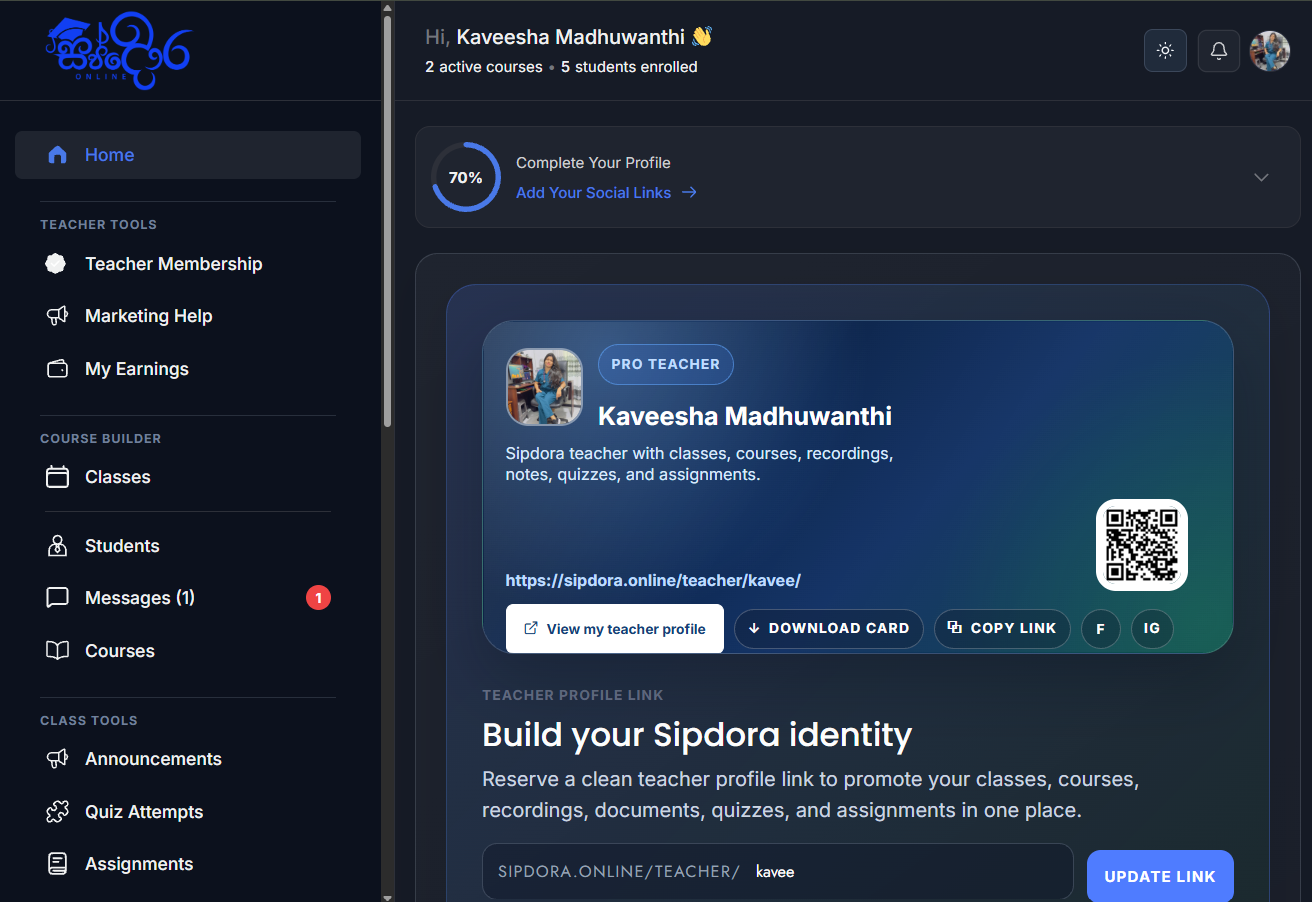
Use your dashboard to manage learning content and review student activity. Organize lessons into a sequence that learners can follow, attach the relevant resources to each lesson, and use the assessment and communication tools available to your account.
Share recordings and lesson attachments
Upload supported videos through Sipdora Cloud and add learning files to the relevant lesson. Use specific names such as the topic, lesson number and date so learners can find the right material. Allow time for uploaded videos to finish processing before expecting playback.
Available playback quality depends on the original video and the selected cloud service. Upload only recordings and materials you have permission to share. Check access using an enrolled student account before distributing a class link widely.
Help students find the right teacher
A useful teacher profile explains your subjects, teaching language, audience and class format. Add accurate background information rather than broad claims about results. Link each class to the teacher profile so students can understand who will teach them and how to contact you.
Browse the Sri Lankan teacher directory to explore public profiles. Keep student records and private classroom discussions within the learning workspace.
Review enrolments, payments and your teacher plan
Check the current teacher-plan details in your membership dashboard before selecting a service. Capacity, storage and optional services depend on the plan and settings for your account. Review the complete checkout amount, billing interval and any processing fee before paying.
Use the payment status shown in Sipdora to confirm completion. Adding a card and completing a payment are different steps. Read the refund and cancellation policy and keep your billing method current if you use automatic renewals.
Plan live teaching with Zoom
Zoom availability depends on your Sipdora connection and your own Zoom account permissions and plan. A cloud recording requires an eligible Zoom host and cloud recording settings. External account connections are also subject to the Zoom app’s current availability and approval.
Read the Sipdora Zoom connection guide before connecting an account. Test your live session and any recording workflow with harmless content before using it for a real class.
Start with a clear teaching workflow
Choose one subject and one student group for your first class. Prepare the timetable, introductory lesson and essential resources, then test the student journey. Our guides explain how to start an online tuition class and how to organize recorded lessons and study materials.
Ready to set up your workspace? Register as a Sipdora teacher. For help choosing the next step, contact Sipdora support.